Cry of War
Informations
| Creator | Nachricht |
|---|---|
Dadu042

|
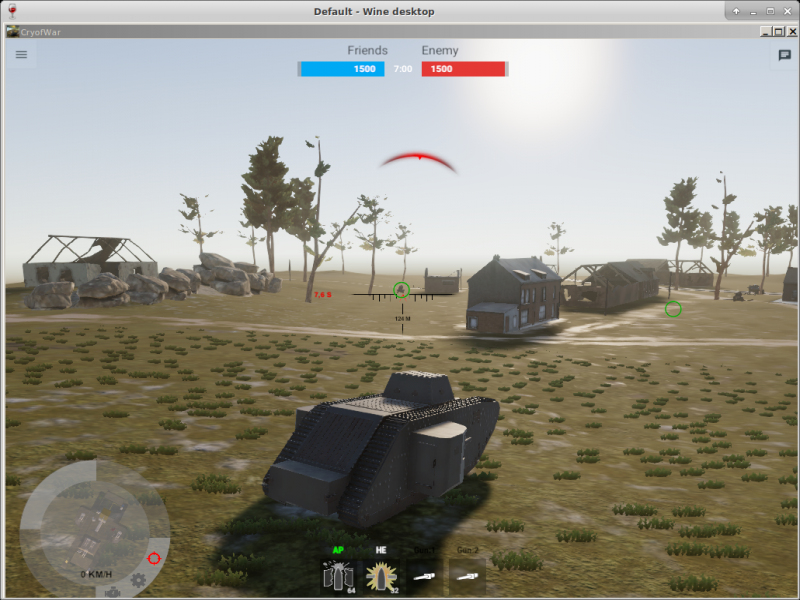
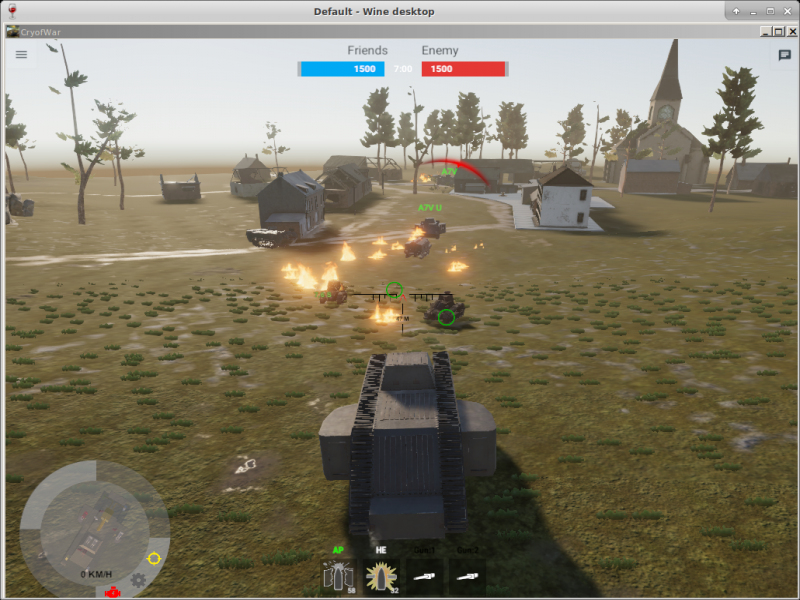
InformationThis installer has been approved by the team. InformationsPlatforms: Feedbacks0 0 DescriptionTank simulator, 1st world war. 2018. Steam. Screenshots
Source code#!/bin/bash
# Date : (2019-08-21)
# Last revision : see Changelog
# Wine version used : see Changelog
# Distribution used to test : XUbuntu 18.04
# Author : Dadu042
# Licence : Retail
# Only For : http://www.playonlinux.com
#
# TESTED (with succcess): .ISO DVD 2018 (unofficial release ?) with Unity 2018.2.1f1 .
#
# Middlewares used by this software : DirectX 11, Unity 2018.2, Visual C++ 2017.
#
# CHANGELOG
# [Dadu042] (2019-08-21)
# First script.
# [Dadu042] (2020-06-03 10-45)
# Script refresh.
# Allow to install from Steam.
# [Dadu042] (2020-06-03 11-00)
# Improve known issues.
#
#
# KNOWN ISSUES:
# - Wine x86 3.0.5 : 'Runtime error 229 at 075A4BCF' when launching setup.exe
# - Wine amd64/x86 4.0.1 : 'Runtime error 229 at 075A4BCD' when launching setup.exe
# - Wine amd64 4.12: setup.exe crash when launched, no error message.
# - Wine x86 4.14 : none setup.exe issue. However the game is 64 bits.
# - Wine amd64 4.0.4 : Unity loading window does appear then crash.0
# - Wine amd64 5.0 : freeze on the first loading screen image.
#
# KNOWN ISSUES (FIXED):
# - No texts displayed: install corefonts.
# - Wine amd64 4.11 : pressing ALT+TAB does loose the mouse control over the game window. Fix: virtual desktop.
# - Wine amd64 4.21 : on the second screen displayed ('Click button to start') the keyboard does not work. Fix: wait some minutes then click the button with the mouse.
[ "$PLAYONLINUX" = "" ] && exit 0
source "$PLAYONLINUX/lib/sources"
TITLE="Cry of War"
PREFIX="Cry_of_War"
EDITOR="ShanghaiWindy"
GAME_URL="http://waroftanks.cn"
AUTHOR="Dadu042"
STEAM_ID="798840"
WORKING_WINE_VERSION="4.21"
GAME_VMS="512"
SHORTCUT_FILENAME="CryofWar.exe"
SOFTWARE_CATEGORIES="Game;Simulation;"
# Starting the script
POL_SetupWindow_Init
# Starting debugging API
POL_Debug_Init
# Open dialogue box
POL_SetupWindow_presentation "$TITLE" "$EDITOR" "$GAME_URL" "$AUTHOR" "$PREFIX"
# POL_SetupWindow_message "$(eval_gettext 'WARNING: this software does exist in Linux native version.\n\nThis script only allow to run the Windows version on Linux, please prefer the Linux edition for better 3D speed.')" "$TITLE"
POL_RequiredVersion "4.3.4" || POL_Debug_Fatal "$APPLICATION_TITLE $VERSION is required to install $TITLE"
# Setting prefix path
POL_Wine_SelectPrefix "$PREFIX"
# Determine Architecture
POL_System_SetArch "amd64"
# Downloading wine if necessary and creating prefix
POL_Wine_PrefixCreate "$WORKING_WINE_VERSION"
Set_OS "win7"
#######################################
# Installing mandatory dependencies #
#######################################
POL_Call POL_Install_corefonts
# Installing mandatory dependencies
POL_Call POL_Install_d3dx11
################
# GPU #
################
# Asking about memory size of graphic card
POL_SetupWindow_VMS $GAME_VMS
# Set Graphic Card information keys for wine
POL_Wine_SetVideoDriver
# Useful for Nvidia GPUs
POL_Call POL_Install_physx
#######################################
# Main part of this script #
#######################################
# Choose between Steam and other Digital Download versions
POL_SetupWindow_InstallMethod "STEAM,LOCAL,DVD"
# Begin game installation
if [ "$INSTALL_METHOD" == "STEAM" ]; then
POL_Call POL_Install_steam
# Mandatory pre-install fix for steam
POL_Call POL_Install_steam_flags "$STEAM_ID"
# Shortcut done before install for steam version
POL_Shortcut "steam.exe" "$TITLE" "" "steam://rungameid/$STEAM_ID"
# Steam install
POL_SetupWindow_message "$(eval_gettext 'When $TITLE download by Steam is finished,\nDo NOT click on Play.\n\nClose COMPLETELY the Steam interface, \nso that the installation script can continue')" "$TITLE"
cd "$WINEPREFIX/drive_c/$PROGRAMFILES/Steam"
POL_Wine start /unix "steam.exe" steam://install/$STEAM_ID
POL_Wine_WaitExit "$TITLE"
elif [ "$INSTALL_METHOD" == "DVD" ];then
POL_SetupWindow_cdrom
POL_SetupWindow_check_cdrom "setup-1.bin"
POL_Wine start /unix "$CDROM/setup.exe"
POL_Wine_WaitExit "setup.exe"
POL_Shortcut "$SHORTCUT_FILENAME" "$TITLE" "" "" "$SOFTWARE_CATEGORIES"
elif [ "$INSTALL_METHOD" == "DOWNLOAD" ];then
POL_Download "https://www.villagers-and-heroes.com/VHSetup.exe"
POL_Wine "VHSetup.exe" "/SILENT"
POL_Wine_WaitBefore "$TITLE"
POL_Shortcut "$SHORTCUT_FILENAME" "$TITLE" "" "" "$SOFTWARE_CATEGORIES"
elif [ "$INSTALL_METHOD" == "LOCAL" ]; then
POL_SetupWindow_menu "$(eval_gettext 'What is the type of the file?.')" "$TITLE" "$(eval_gettext '.EXE')~$(eval_gettext '.ZIP')~$(eval_gettext '.RAR')" "~"
if [ "$APP_ANSWER" == ".EXE" ]; then
# Asking then installing local files of the game
cd "$HOME"
POL_SetupWindow_browse "$(eval_gettext 'Please select the setup file to run')" "$TITLE"
SETUP_EXE="$APP_ANSWER"
POL_Wine start /unix "$SETUP_EXE"
POL_Wine_WaitExit "$TITLE"
POL_Shortcut "$SHORTCUT_FILENAME" "$TITLE" "" "" "$SOFTWARE_CATEGORIES"
# POL_Shortcut_Document "$TITLE" "Readme.txt"
elif [ "$APP_ANSWER" == "$(eval_gettext '.ZIP')" ]; then
cd "$HOME"
POL_SetupWindow_browse "$(eval_gettext 'Please select the .ZIP file')" "$TITLE"
SETUP_EXE="$APP_ANSWER"
cd "$POL_System_TmpDir"
POL_SetupWindow_wait_next_signal "$(eval_gettext 'Extracting the archive...')" "$TITLE"
POL_System_unzip "$APP_ANSWER" -d "$WINEPREFIX/drive_c/"
POL_Shortcut "$SHORTCUT_FILENAME" "$TITLE" "" "" "$SOFTWARE_CATEGORIES"
elif [ "$APP_ANSWER" == "$(eval_gettext '.RAR')" ]; then
cd "$HOME"
POL_SetupWindow_browse "$(eval_gettext 'Please select the .RAR file')" "$TITLE"
SETUP_EXE="$APP_ANSWER"
cd "$POL_System_TmpDir"
POL_SetupWindow_wait_next_signal "$(eval_gettext 'Extracting the archive...')" "$TITLE"
POL_System_unrar x "$APP_ANSWER" "$WINEPREFIX/drive_c/" || POL_Debug_Fatal "unrar is required to unarchive $TITLE (unrar package is not installed on the OS)."
POL_Shortcut "$SHORTCUT_FILENAME" "$TITLE" "" "" "$SOFTWARE_CATEGORIES"
fi
fi
#######################################
# Create a 'virtual desktop' (window) #
#######################################
# Workaround to fix the "No mouse nor keyboard on main menu":
POL_SetupWindow_menu_list "$(eval_gettext "Choose the game resolution")" "$TITLE" "800x600-1152x864-1024x768-1280x720-1280x800-1280x900-1280x1024-1360x768-1368x768-1440x900-1400x1050-1600x900-1600x1024-1680x1050-1920x1080" "-" "800x600"
resolution="$APP_ANSWER"
WIDTH="$(echo $resolution | cut -d"x" -f1)"
HEIGHT="$(echo $resolution | cut -d"x" -f2)"
Set_Desktop "On" "$WIDTH" "$HEIGHT"
Set_WineWindowTitle "$TITLE"
POL_SetupWindow_Close
exit 0 |
 Install this program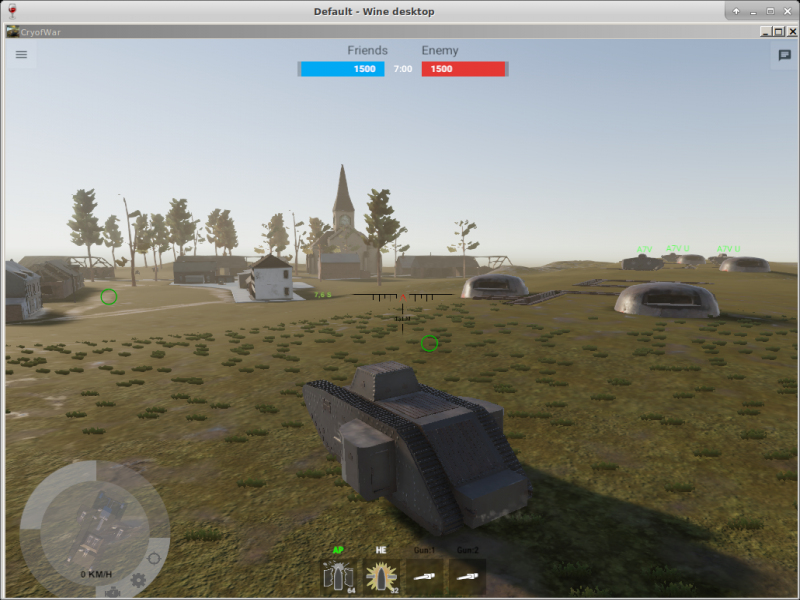
Contributions
Filters:
Contribute| Member | Nachricht |
| welton12 | Saturday 21 February 2026 at 19:33 |
welton12

|
NachrichtIf you’re reviewing the PlayOnLinux terms, it’s a good reminder to check how third-party tools interact with game files and platform policies. Many gamers use launchers or utility apps alongside titles like PUBG Mobile or Garena Free Fire, so understanding usage rights really matters. I recently read a breakdown of features and compatibility for Android gaming tools at https://loluboxproapk.com/, which also highlights performance tweaks and account management considerations worth keeping in mind. Antworten |
| Dadu042 | Wednesday 3 June 2020 at 23:11 |
|
Dadu042
|
InformationThis update has been approved by the team. Differences@@ -7,28 +7,32 @@
# Licence : Retail
# Only For : http://www.playonlinux.com
#
-# TESTED (with succcess): .ISO DVD 2018 (unofficial release ?), Unity 2018.2.1f1 .
+# TESTED (with succcess): .ISO DVD 2018 (unofficial release ?) with Unity 2018.2.1f1 .
#
-# Middlewares used by this software : DirectX 11, Unity, Visual C++ 2017.
+# Middlewares used by this software : DirectX 11, Unity 2018.2, Visual C++ 2017.
#
# CHANGELOG
# [Dadu042] (2019-08-21)
# First script.
-# [Dadu042] (2020-06-03)
+# [Dadu042] (2020-06-03 10-45)
# Script refresh.
# Allow to install from Steam.
+# [Dadu042] (2020-06-03 11-00)
+# Improve known issues.
#
#
# KNOWN ISSUES:
-# - Wine 4.0.1 amd64/x86: 'Runtime error 229 at 075A4BCD' when launching setup.exe
-# - Wine 3.0.5 x86: 'Runtime error 229 at 075A4BCF' when launching setup.exe
-# - Wine 4.12 amd64: setup.exe crash when launched, no error message.
-# - Wine 4.14 x86 : none setup.exe issue. However the game is 64 bits.
+# - Wine x86 3.0.5 : 'Runtime error 229 at 075A4BCF' when launching setup.exe
+# - Wine amd64/x86 4.0.1 : 'Runtime error 229 at 075A4BCD' when launching setup.exe
+# - Wine amd64 4.12: setup.exe crash when launched, no error message.
+# - Wine x86 4.14 : none setup.exe issue. However the game is 64 bits.
+# - Wine amd64 4.0.4 : Unity loading window does appear then crash.0
+# - Wine amd64 5.0 : freeze on the first loading screen image.
#
+# KNOWN ISSUES (FIXED):
# - No texts displayed: install corefonts.
-#
-# - Wine 4.11 amd64 : pressing ALT+TAB does loose the mouse control over the game window. Fix: virtual desktop.
-#
+# - Wine amd64 4.11 : pressing ALT+TAB does loose the mouse control over the game window. Fix: virtual desktop.
+# - Wine amd64 4.21 : on the second screen displayed ('Click button to start') the keyboard does not work. Fix: wait some minutes then click the button with the mouse.
[ "$PLAYONLINUX" = "" ] && exit 0
@@ -40,7 +44,7 @@
GAME_URL="http://waroftanks.cn"
AUTHOR="Dadu042"
STEAM_ID="798840"
-WORKING_WINE_VERSION="4.11"
+WORKING_WINE_VERSION="4.21"
GAME_VMS="512"
SHORTCUT_FILENAME="CryofWar.exe"
SOFTWARE_CATEGORIES="Game;Simulation;"
@@ -98,7 +102,7 @@
#######################################
# Choose between Steam and other Digital Download versions
-POL_SetupWindow_InstallMethod "STEAM,LOCAL"
+POL_SetupWindow_InstallMethod "STEAM,LOCAL,DVD"
# Begin game installation
if [ "$INSTALL_METHOD" == "STEAM" ]; then
@@ -176,8 +180,5 @@
Set_WineWindowTitle "$TITLE"
-
-POL_SetupWindow_message "$(eval_gettext 'Installation is finished ! :)" "$TITLE"
-
POL_SetupWindow_Close
exit 0
\ No newline at end of file
New source code#!/bin/bash
# Date : (2019-08-21)
# Last revision : see Changelog
# Wine version used : see Changelog
# Distribution used to test : XUbuntu 18.04
# Author : Dadu042
# Licence : Retail
# Only For : http://www.playonlinux.com
#
# TESTED (with succcess): .ISO DVD 2018 (unofficial release ?) with Unity 2018.2.1f1 .
#
# Middlewares used by this software : DirectX 11, Unity 2018.2, Visual C++ 2017.
#
# CHANGELOG
# [Dadu042] (2019-08-21)
# First script.
# [Dadu042] (2020-06-03 10-45)
# Script refresh.
# Allow to install from Steam.
# [Dadu042] (2020-06-03 11-00)
# Improve known issues.
#
#
# KNOWN ISSUES:
# - Wine x86 3.0.5 : 'Runtime error 229 at 075A4BCF' when launching setup.exe
# - Wine amd64/x86 4.0.1 : 'Runtime error 229 at 075A4BCD' when launching setup.exe
# - Wine amd64 4.12: setup.exe crash when launched, no error message.
# - Wine x86 4.14 : none setup.exe issue. However the game is 64 bits.
# - Wine amd64 4.0.4 : Unity loading window does appear then crash.0
# - Wine amd64 5.0 : freeze on the first loading screen image.
#
# KNOWN ISSUES (FIXED):
# - No texts displayed: install corefonts.
# - Wine amd64 4.11 : pressing ALT+TAB does loose the mouse control over the game window. Fix: virtual desktop.
# - Wine amd64 4.21 : on the second screen displayed ('Click button to start') the keyboard does not work. Fix: wait some minutes then click the button with the mouse.
[ "$PLAYONLINUX" = "" ] && exit 0
source "$PLAYONLINUX/lib/sources"
TITLE="Cry of War"
PREFIX="Cry_of_War"
EDITOR="ShanghaiWindy"
GAME_URL="http://waroftanks.cn"
AUTHOR="Dadu042"
STEAM_ID="798840"
WORKING_WINE_VERSION="4.21"
GAME_VMS="512"
SHORTCUT_FILENAME="CryofWar.exe"
SOFTWARE_CATEGORIES="Game;Simulation;"
# Starting the script
POL_SetupWindow_Init
# Starting debugging API
POL_Debug_Init
# Open dialogue box
POL_SetupWindow_presentation "$TITLE" "$EDITOR" "$GAME_URL" "$AUTHOR" "$PREFIX"
# POL_SetupWindow_message "$(eval_gettext 'WARNING: this software does exist in Linux native version.\n\nThis script only allow to run the Windows version on Linux, please prefer the Linux edition for better 3D speed.')" "$TITLE"
POL_RequiredVersion "4.3.4" || POL_Debug_Fatal "$APPLICATION_TITLE $VERSION is required to install $TITLE"
# Setting prefix path
POL_Wine_SelectPrefix "$PREFIX"
# Determine Architecture
POL_System_SetArch "amd64"
# Downloading wine if necessary and creating prefix
POL_Wine_PrefixCreate "$WORKING_WINE_VERSION"
Set_OS "win7"
#######################################
# Installing mandatory dependencies #
#######################################
POL_Call POL_Install_corefonts
# Installing mandatory dependencies
POL_Call POL_Install_d3dx11
################
# GPU #
################
# Asking about memory size of graphic card
POL_SetupWindow_VMS $GAME_VMS
# Set Graphic Card information keys for wine
POL_Wine_SetVideoDriver
# Useful for Nvidia GPUs
POL_Call POL_Install_physx
#######################################
# Main part of this script #
#######################################
# Choose between Steam and other Digital Download versions
POL_SetupWindow_InstallMethod "STEAM,LOCAL,DVD"
# Begin game installation
if [ "$INSTALL_METHOD" == "STEAM" ]; then
POL_Call POL_Install_steam
# Mandatory pre-install fix for steam
POL_Call POL_Install_steam_flags "$STEAM_ID"
# Shortcut done before install for steam version
POL_Shortcut "steam.exe" "$TITLE" "" "steam://rungameid/$STEAM_ID"
# Steam install
POL_SetupWindow_message "$(eval_gettext 'When $TITLE download by Steam is finished,\nDo NOT click on Play.\n\nClose COMPLETELY the Steam interface, \nso that the installation script can continue')" "$TITLE"
cd "$WINEPREFIX/drive_c/$PROGRAMFILES/Steam"
POL_Wine start /unix "steam.exe" steam://install/$STEAM_ID
POL_Wine_WaitExit "$TITLE"
elif [ "$INSTALL_METHOD" == "DVD" ];then
POL_SetupWindow_cdrom
POL_SetupWindow_check_cdrom "setup-1.bin"
POL_Wine start /unix "$CDROM/setup.exe"
POL_Wine_WaitExit "setup.exe"
POL_Shortcut "$SHORTCUT_FILENAME" "$TITLE" "" "" "$SOFTWARE_CATEGORIES"
elif [ "$INSTALL_METHOD" == "DOWNLOAD" ];then
POL_Download "https://www.villagers-and-heroes.com/VHSetup.exe"
POL_Wine "VHSetup.exe" "/SILENT"
POL_Wine_WaitBefore "$TITLE"
POL_Shortcut "$SHORTCUT_FILENAME" "$TITLE" "" "" "$SOFTWARE_CATEGORIES"
elif [ "$INSTALL_METHOD" == "LOCAL" ]; then
POL_SetupWindow_menu "$(eval_gettext 'What is the type of the file?.')" "$TITLE" "$(eval_gettext '.EXE')~$(eval_gettext '.ZIP')~$(eval_gettext '.RAR')" "~"
if [ "$APP_ANSWER" == ".EXE" ]; then
# Asking then installing local files of the game
cd "$HOME"
POL_SetupWindow_browse "$(eval_gettext 'Please select the setup file to run')" "$TITLE"
SETUP_EXE="$APP_ANSWER"
POL_Wine start /unix "$SETUP_EXE"
POL_Wine_WaitExit "$TITLE"
POL_Shortcut "$SHORTCUT_FILENAME" "$TITLE" "" "" "$SOFTWARE_CATEGORIES"
# POL_Shortcut_Document "$TITLE" "Readme.txt"
elif [ "$APP_ANSWER" == "$(eval_gettext '.ZIP')" ]; then
cd "$HOME"
POL_SetupWindow_browse "$(eval_gettext 'Please select the .ZIP file')" "$TITLE"
SETUP_EXE="$APP_ANSWER"
cd "$POL_System_TmpDir"
POL_SetupWindow_wait_next_signal "$(eval_gettext 'Extracting the archive...')" "$TITLE"
POL_System_unzip "$APP_ANSWER" -d "$WINEPREFIX/drive_c/"
POL_Shortcut "$SHORTCUT_FILENAME" "$TITLE" "" "" "$SOFTWARE_CATEGORIES"
elif [ "$APP_ANSWER" == "$(eval_gettext '.RAR')" ]; then
cd "$HOME"
POL_SetupWindow_browse "$(eval_gettext 'Please select the .RAR file')" "$TITLE"
SETUP_EXE="$APP_ANSWER"
cd "$POL_System_TmpDir"
POL_SetupWindow_wait_next_signal "$(eval_gettext 'Extracting the archive...')" "$TITLE"
POL_System_unrar x "$APP_ANSWER" "$WINEPREFIX/drive_c/" || POL_Debug_Fatal "unrar is required to unarchive $TITLE (unrar package is not installed on the OS)."
POL_Shortcut "$SHORTCUT_FILENAME" "$TITLE" "" "" "$SOFTWARE_CATEGORIES"
fi
fi
#######################################
# Create a 'virtual desktop' (window) #
#######################################
# Workaround to fix the "No mouse nor keyboard on main menu":
POL_SetupWindow_menu_list "$(eval_gettext "Choose the game resolution")" "$TITLE" "800x600-1152x864-1024x768-1280x720-1280x800-1280x900-1280x1024-1360x768-1368x768-1440x900-1400x1050-1600x900-1600x1024-1680x1050-1920x1080" "-" "800x600"
resolution="$APP_ANSWER"
WIDTH="$(echo $resolution | cut -d"x" -f1)"
HEIGHT="$(echo $resolution | cut -d"x" -f2)"
Set_Desktop "On" "$WIDTH" "$HEIGHT"
Set_WineWindowTitle "$TITLE"
POL_SetupWindow_Close
exit 0 Antworten |
| Dadu042 | Wednesday 3 June 2020 at 11:01 |
|
Dadu042
|
WarningThis update has not been approved yet by the team. Differences@@ -14,20 +14,21 @@
# CHANGELOG
# [Dadu042] (2019-08-21)
# First script.
+# [Dadu042] (2020-06-03)
+# Script refresh.
+# Allow to install from Steam.
#
#
# KNOWN ISSUES:
# - Wine 4.0.1 amd64/x86: 'Runtime error 229 at 075A4BCD' when launching setup.exe
# - Wine 3.0.5 x86: 'Runtime error 229 at 075A4BCF' when launching setup.exe
# - Wine 4.12 amd64: setup.exe crash when launched, no error message.
-# - Wine 4.14 x86 : none setup.exe issue. However the game is 64 bits.
+# - Wine 4.14 x86 : none setup.exe issue. However the game is 64 bits.
#
# - No texts displayed: install corefonts.
#
# - Wine 4.11 amd64 : pressing ALT+TAB does loose the mouse control over the game window. Fix: virtual desktop.
#
-#
-# Ideas to improve this script: error window if unrar missing. Select archive, then decide if extension is RAR or ZIP or 7Z...
[ "$PLAYONLINUX" = "" ] && exit 0
@@ -66,18 +67,38 @@
# Downloading wine if necessary and creating prefix
POL_Wine_PrefixCreate "$WORKING_WINE_VERSION"
+
Set_OS "win7"
+
+#######################################
+# Installing mandatory dependencies #
+#######################################
POL_Call POL_Install_corefonts
# Installing mandatory dependencies
POL_Call POL_Install_d3dx11
-# Useful for Nvidia GPUs
-# POL_Call POL_Install_physx
+
+################
+# GPU #
+################
+
+# Asking about memory size of graphic card
+POL_SetupWindow_VMS $GAME_VMS
+
+# Set Graphic Card information keys for wine
+POL_Wine_SetVideoDriver
+
+# Useful for Nvidia GPUs
+POL_Call POL_Install_physx
+
+#######################################
+# Main part of this script #
+#######################################
# Choose between Steam and other Digital Download versions
-POL_SetupWindow_InstallMethod "LOCAL,DVD"
+POL_SetupWindow_InstallMethod "STEAM,LOCAL"
# Begin game installation
if [ "$INSTALL_METHOD" == "STEAM" ]; then
@@ -137,12 +158,6 @@
POL_Shortcut "$SHORTCUT_FILENAME" "$TITLE" "" "" "$SOFTWARE_CATEGORIES"
fi
fi
-
-# Set Graphic Card information keys for wine
-POL_Wine_SetVideoDriver
-
-# Asking about memory size of graphic card
-POL_SetupWindow_VMS $GAME_VMS
#######################################
# Create a 'virtual desktop' (window) #
New source code#!/bin/bash
# Date : (2019-08-21)
# Last revision : see Changelog
# Wine version used : see Changelog
# Distribution used to test : XUbuntu 18.04
# Author : Dadu042
# Licence : Retail
# Only For : http://www.playonlinux.com
#
# TESTED (with succcess): .ISO DVD 2018 (unofficial release ?), Unity 2018.2.1f1 .
#
# Middlewares used by this software : DirectX 11, Unity, Visual C++ 2017.
#
# CHANGELOG
# [Dadu042] (2019-08-21)
# First script.
# [Dadu042] (2020-06-03)
# Script refresh.
# Allow to install from Steam.
#
#
# KNOWN ISSUES:
# - Wine 4.0.1 amd64/x86: 'Runtime error 229 at 075A4BCD' when launching setup.exe
# - Wine 3.0.5 x86: 'Runtime error 229 at 075A4BCF' when launching setup.exe
# - Wine 4.12 amd64: setup.exe crash when launched, no error message.
# - Wine 4.14 x86 : none setup.exe issue. However the game is 64 bits.
#
# - No texts displayed: install corefonts.
#
# - Wine 4.11 amd64 : pressing ALT+TAB does loose the mouse control over the game window. Fix: virtual desktop.
#
[ "$PLAYONLINUX" = "" ] && exit 0
source "$PLAYONLINUX/lib/sources"
TITLE="Cry of War"
PREFIX="Cry_of_War"
EDITOR="ShanghaiWindy"
GAME_URL="http://waroftanks.cn"
AUTHOR="Dadu042"
STEAM_ID="798840"
WORKING_WINE_VERSION="4.11"
GAME_VMS="512"
SHORTCUT_FILENAME="CryofWar.exe"
SOFTWARE_CATEGORIES="Game;Simulation;"
# Starting the script
POL_SetupWindow_Init
# Starting debugging API
POL_Debug_Init
# Open dialogue box
POL_SetupWindow_presentation "$TITLE" "$EDITOR" "$GAME_URL" "$AUTHOR" "$PREFIX"
# POL_SetupWindow_message "$(eval_gettext 'WARNING: this software does exist in Linux native version.\n\nThis script only allow to run the Windows version on Linux, please prefer the Linux edition for better 3D speed.')" "$TITLE"
POL_RequiredVersion "4.3.4" || POL_Debug_Fatal "$APPLICATION_TITLE $VERSION is required to install $TITLE"
# Setting prefix path
POL_Wine_SelectPrefix "$PREFIX"
# Determine Architecture
POL_System_SetArch "amd64"
# Downloading wine if necessary and creating prefix
POL_Wine_PrefixCreate "$WORKING_WINE_VERSION"
Set_OS "win7"
#######################################
# Installing mandatory dependencies #
#######################################
POL_Call POL_Install_corefonts
# Installing mandatory dependencies
POL_Call POL_Install_d3dx11
################
# GPU #
################
# Asking about memory size of graphic card
POL_SetupWindow_VMS $GAME_VMS
# Set Graphic Card information keys for wine
POL_Wine_SetVideoDriver
# Useful for Nvidia GPUs
POL_Call POL_Install_physx
#######################################
# Main part of this script #
#######################################
# Choose between Steam and other Digital Download versions
POL_SetupWindow_InstallMethod "STEAM,LOCAL"
# Begin game installation
if [ "$INSTALL_METHOD" == "STEAM" ]; then
POL_Call POL_Install_steam
# Mandatory pre-install fix for steam
POL_Call POL_Install_steam_flags "$STEAM_ID"
# Shortcut done before install for steam version
POL_Shortcut "steam.exe" "$TITLE" "" "steam://rungameid/$STEAM_ID"
# Steam install
POL_SetupWindow_message "$(eval_gettext 'When $TITLE download by Steam is finished,\nDo NOT click on Play.\n\nClose COMPLETELY the Steam interface, \nso that the installation script can continue')" "$TITLE"
cd "$WINEPREFIX/drive_c/$PROGRAMFILES/Steam"
POL_Wine start /unix "steam.exe" steam://install/$STEAM_ID
POL_Wine_WaitExit "$TITLE"
elif [ "$INSTALL_METHOD" == "DVD" ];then
POL_SetupWindow_cdrom
POL_SetupWindow_check_cdrom "setup-1.bin"
POL_Wine start /unix "$CDROM/setup.exe"
POL_Wine_WaitExit "setup.exe"
POL_Shortcut "$SHORTCUT_FILENAME" "$TITLE" "" "" "$SOFTWARE_CATEGORIES"
elif [ "$INSTALL_METHOD" == "DOWNLOAD" ];then
POL_Download "https://www.villagers-and-heroes.com/VHSetup.exe"
POL_Wine "VHSetup.exe" "/SILENT"
POL_Wine_WaitBefore "$TITLE"
POL_Shortcut "$SHORTCUT_FILENAME" "$TITLE" "" "" "$SOFTWARE_CATEGORIES"
elif [ "$INSTALL_METHOD" == "LOCAL" ]; then
POL_SetupWindow_menu "$(eval_gettext 'What is the type of the file?.')" "$TITLE" "$(eval_gettext '.EXE')~$(eval_gettext '.ZIP')~$(eval_gettext '.RAR')" "~"
if [ "$APP_ANSWER" == ".EXE" ]; then
# Asking then installing local files of the game
cd "$HOME"
POL_SetupWindow_browse "$(eval_gettext 'Please select the setup file to run')" "$TITLE"
SETUP_EXE="$APP_ANSWER"
POL_Wine start /unix "$SETUP_EXE"
POL_Wine_WaitExit "$TITLE"
POL_Shortcut "$SHORTCUT_FILENAME" "$TITLE" "" "" "$SOFTWARE_CATEGORIES"
# POL_Shortcut_Document "$TITLE" "Readme.txt"
elif [ "$APP_ANSWER" == "$(eval_gettext '.ZIP')" ]; then
cd "$HOME"
POL_SetupWindow_browse "$(eval_gettext 'Please select the .ZIP file')" "$TITLE"
SETUP_EXE="$APP_ANSWER"
cd "$POL_System_TmpDir"
POL_SetupWindow_wait_next_signal "$(eval_gettext 'Extracting the archive...')" "$TITLE"
POL_System_unzip "$APP_ANSWER" -d "$WINEPREFIX/drive_c/"
POL_Shortcut "$SHORTCUT_FILENAME" "$TITLE" "" "" "$SOFTWARE_CATEGORIES"
elif [ "$APP_ANSWER" == "$(eval_gettext '.RAR')" ]; then
cd "$HOME"
POL_SetupWindow_browse "$(eval_gettext 'Please select the .RAR file')" "$TITLE"
SETUP_EXE="$APP_ANSWER"
cd "$POL_System_TmpDir"
POL_SetupWindow_wait_next_signal "$(eval_gettext 'Extracting the archive...')" "$TITLE"
POL_System_unrar x "$APP_ANSWER" "$WINEPREFIX/drive_c/" || POL_Debug_Fatal "unrar is required to unarchive $TITLE (unrar package is not installed on the OS)."
POL_Shortcut "$SHORTCUT_FILENAME" "$TITLE" "" "" "$SOFTWARE_CATEGORIES"
fi
fi
#######################################
# Create a 'virtual desktop' (window) #
#######################################
# Workaround to fix the "No mouse nor keyboard on main menu":
POL_SetupWindow_menu_list "$(eval_gettext "Choose the game resolution")" "$TITLE" "800x600-1152x864-1024x768-1280x720-1280x800-1280x900-1280x1024-1360x768-1368x768-1440x900-1400x1050-1600x900-1600x1024-1680x1050-1920x1080" "-" "800x600"
resolution="$APP_ANSWER"
WIDTH="$(echo $resolution | cut -d"x" -f1)"
HEIGHT="$(echo $resolution | cut -d"x" -f2)"
Set_Desktop "On" "$WIDTH" "$HEIGHT"
Set_WineWindowTitle "$TITLE"
POL_SetupWindow_message "$(eval_gettext 'Installation is finished ! :)" "$TITLE"
POL_SetupWindow_Close
exit 0 Antworten |
| Dadu042 | Wednesday 21 August 2019 at 10:28 |
|
Dadu042
|
WarningThis update has not been approved yet by the team. Differences@@ -22,6 +22,8 @@ # - Wine 4.12 amd64: setup.exe crash when launched, no error message. # - Wine 4.14 x86 : none setup.exe issue. However the game is 64 bits. # +# - No texts displayed: install corefonts. +# # - Wine 4.11 amd64 : pressing ALT+TAB does loose the mouse control over the game window. Fix: virtual desktop. # # New source code#!/bin/bash
# Date : (2019-08-21)
# Last revision : see Changelog
# Wine version used : see Changelog
# Distribution used to test : XUbuntu 18.04
# Author : Dadu042
# Licence : Retail
# Only For : http://www.playonlinux.com
#
# TESTED (with succcess): .ISO DVD 2018 (unofficial release ?), Unity 2018.2.1f1 .
#
# Middlewares used by this software : DirectX 11, Unity, Visual C++ 2017.
#
# CHANGELOG
# [Dadu042] (2019-08-21)
# First script.
#
#
# KNOWN ISSUES:
# - Wine 4.0.1 amd64/x86: 'Runtime error 229 at 075A4BCD' when launching setup.exe
# - Wine 3.0.5 x86: 'Runtime error 229 at 075A4BCF' when launching setup.exe
# - Wine 4.12 amd64: setup.exe crash when launched, no error message.
# - Wine 4.14 x86 : none setup.exe issue. However the game is 64 bits.
#
# - No texts displayed: install corefonts.
#
# - Wine 4.11 amd64 : pressing ALT+TAB does loose the mouse control over the game window. Fix: virtual desktop.
#
#
# Ideas to improve this script: error window if unrar missing. Select archive, then decide if extension is RAR or ZIP or 7Z...
[ "$PLAYONLINUX" = "" ] && exit 0
source "$PLAYONLINUX/lib/sources"
TITLE="Cry of War"
PREFIX="Cry_of_War"
EDITOR="ShanghaiWindy"
GAME_URL="http://waroftanks.cn"
AUTHOR="Dadu042"
STEAM_ID="798840"
WORKING_WINE_VERSION="4.11"
GAME_VMS="512"
SHORTCUT_FILENAME="CryofWar.exe"
SOFTWARE_CATEGORIES="Game;Simulation;"
# Starting the script
POL_SetupWindow_Init
# Starting debugging API
POL_Debug_Init
# Open dialogue box
POL_SetupWindow_presentation "$TITLE" "$EDITOR" "$GAME_URL" "$AUTHOR" "$PREFIX"
# POL_SetupWindow_message "$(eval_gettext 'WARNING: this software does exist in Linux native version.\n\nThis script only allow to run the Windows version on Linux, please prefer the Linux edition for better 3D speed.')" "$TITLE"
POL_RequiredVersion "4.3.4" || POL_Debug_Fatal "$APPLICATION_TITLE $VERSION is required to install $TITLE"
# Setting prefix path
POL_Wine_SelectPrefix "$PREFIX"
# Determine Architecture
POL_System_SetArch "amd64"
# Downloading wine if necessary and creating prefix
POL_Wine_PrefixCreate "$WORKING_WINE_VERSION"
Set_OS "win7"
POL_Call POL_Install_corefonts
# Installing mandatory dependencies
POL_Call POL_Install_d3dx11
# Useful for Nvidia GPUs
# POL_Call POL_Install_physx
# Choose between Steam and other Digital Download versions
POL_SetupWindow_InstallMethod "LOCAL,DVD"
# Begin game installation
if [ "$INSTALL_METHOD" == "STEAM" ]; then
POL_Call POL_Install_steam
# Mandatory pre-install fix for steam
POL_Call POL_Install_steam_flags "$STEAM_ID"
# Shortcut done before install for steam version
POL_Shortcut "steam.exe" "$TITLE" "" "steam://rungameid/$STEAM_ID"
# Steam install
POL_SetupWindow_message "$(eval_gettext 'When $TITLE download by Steam is finished,\nDo NOT click on Play.\n\nClose COMPLETELY the Steam interface, \nso that the installation script can continue')" "$TITLE"
cd "$WINEPREFIX/drive_c/$PROGRAMFILES/Steam"
POL_Wine start /unix "steam.exe" steam://install/$STEAM_ID
POL_Wine_WaitExit "$TITLE"
elif [ "$INSTALL_METHOD" == "DVD" ];then
POL_SetupWindow_cdrom
POL_SetupWindow_check_cdrom "setup-1.bin"
POL_Wine start /unix "$CDROM/setup.exe"
POL_Wine_WaitExit "setup.exe"
POL_Shortcut "$SHORTCUT_FILENAME" "$TITLE" "" "" "$SOFTWARE_CATEGORIES"
elif [ "$INSTALL_METHOD" == "DOWNLOAD" ];then
POL_Download "https://www.villagers-and-heroes.com/VHSetup.exe"
POL_Wine "VHSetup.exe" "/SILENT"
POL_Wine_WaitBefore "$TITLE"
POL_Shortcut "$SHORTCUT_FILENAME" "$TITLE" "" "" "$SOFTWARE_CATEGORIES"
elif [ "$INSTALL_METHOD" == "LOCAL" ]; then
POL_SetupWindow_menu "$(eval_gettext 'What is the type of the file?.')" "$TITLE" "$(eval_gettext '.EXE')~$(eval_gettext '.ZIP')~$(eval_gettext '.RAR')" "~"
if [ "$APP_ANSWER" == ".EXE" ]; then
# Asking then installing local files of the game
cd "$HOME"
POL_SetupWindow_browse "$(eval_gettext 'Please select the setup file to run')" "$TITLE"
SETUP_EXE="$APP_ANSWER"
POL_Wine start /unix "$SETUP_EXE"
POL_Wine_WaitExit "$TITLE"
POL_Shortcut "$SHORTCUT_FILENAME" "$TITLE" "" "" "$SOFTWARE_CATEGORIES"
# POL_Shortcut_Document "$TITLE" "Readme.txt"
elif [ "$APP_ANSWER" == "$(eval_gettext '.ZIP')" ]; then
cd "$HOME"
POL_SetupWindow_browse "$(eval_gettext 'Please select the .ZIP file')" "$TITLE"
SETUP_EXE="$APP_ANSWER"
cd "$POL_System_TmpDir"
POL_SetupWindow_wait_next_signal "$(eval_gettext 'Extracting the archive...')" "$TITLE"
POL_System_unzip "$APP_ANSWER" -d "$WINEPREFIX/drive_c/"
POL_Shortcut "$SHORTCUT_FILENAME" "$TITLE" "" "" "$SOFTWARE_CATEGORIES"
elif [ "$APP_ANSWER" == "$(eval_gettext '.RAR')" ]; then
cd "$HOME"
POL_SetupWindow_browse "$(eval_gettext 'Please select the .RAR file')" "$TITLE"
SETUP_EXE="$APP_ANSWER"
cd "$POL_System_TmpDir"
POL_SetupWindow_wait_next_signal "$(eval_gettext 'Extracting the archive...')" "$TITLE"
POL_System_unrar x "$APP_ANSWER" "$WINEPREFIX/drive_c/" || POL_Debug_Fatal "unrar is required to unarchive $TITLE (unrar package is not installed on the OS)."
POL_Shortcut "$SHORTCUT_FILENAME" "$TITLE" "" "" "$SOFTWARE_CATEGORIES"
fi
fi
# Set Graphic Card information keys for wine
POL_Wine_SetVideoDriver
# Asking about memory size of graphic card
POL_SetupWindow_VMS $GAME_VMS
#######################################
# Create a 'virtual desktop' (window) #
#######################################
# Workaround to fix the "No mouse nor keyboard on main menu":
POL_SetupWindow_menu_list "$(eval_gettext "Choose the game resolution")" "$TITLE" "800x600-1152x864-1024x768-1280x720-1280x800-1280x900-1280x1024-1360x768-1368x768-1440x900-1400x1050-1600x900-1600x1024-1680x1050-1920x1080" "-" "800x600"
resolution="$APP_ANSWER"
WIDTH="$(echo $resolution | cut -d"x" -f1)"
HEIGHT="$(echo $resolution | cut -d"x" -f2)"
Set_Desktop "On" "$WIDTH" "$HEIGHT"
Set_WineWindowTitle "$TITLE"
POL_SetupWindow_message "$(eval_gettext 'Installation is finished ! :)" "$TITLE"
POL_SetupWindow_Close
exit 0 AntwortenEditiert von: Dadu042 |
This site allows content generated by members, and we promptly remove any content that infringes copyright according to our Terms of Service. To report copyright infringement, please send a notice to dmca-notice@playonlinux.com